PPS Compatibility Matrix: Match Phone, Port and Cable
Match the phone’s documented charging mode to the selected port and cable. This matrix compiles official requirements; it does not report tested pairings.
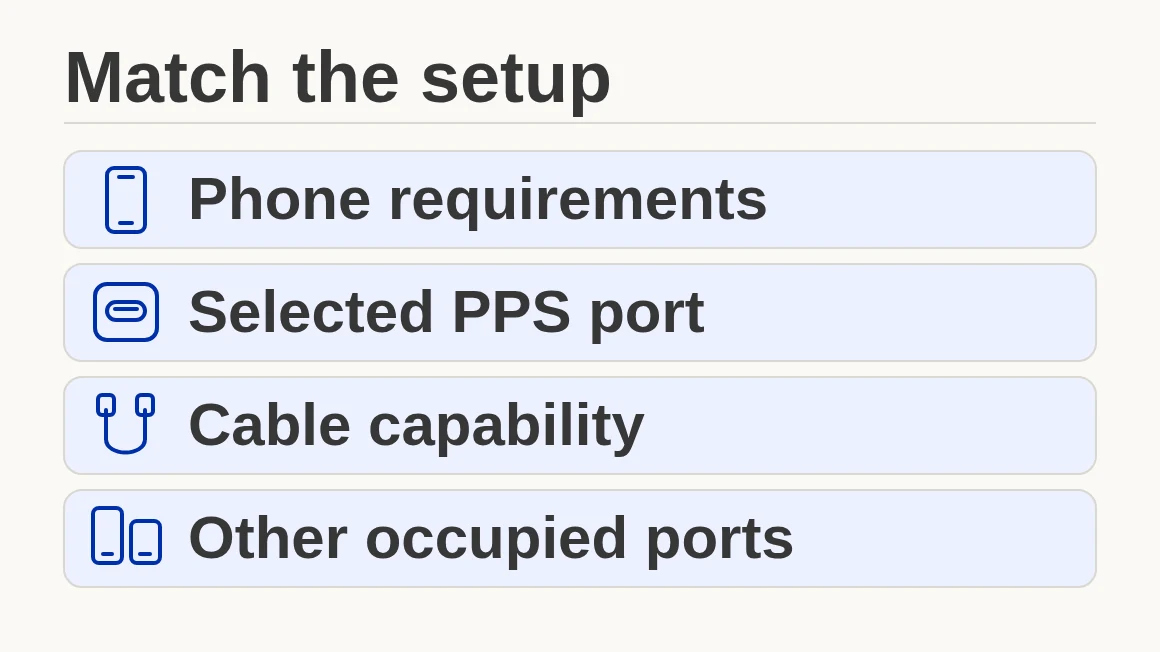
Buying by headline wattage can waste money on a charger that misses the phone’s intended fast-charging mode. Match the phone’s documented requirements to the selected port’s PPS voltage and current ranges, then check the cable and any shared-port limits.
A PPS fast charging compatibility matrix is a document check before it is a performance claim. This guide separates phone-maker recommendations, an adapter’s advertised output profiles and observations you can record yourself. A higher-rated adapter does not establish the phone’s charging rate, and a charging indicator does not establish measured battery power. Use the rows below to identify the relevant documents, keep missing requirements visible and decide which component to check next.
Quick Specs: the inputs to match
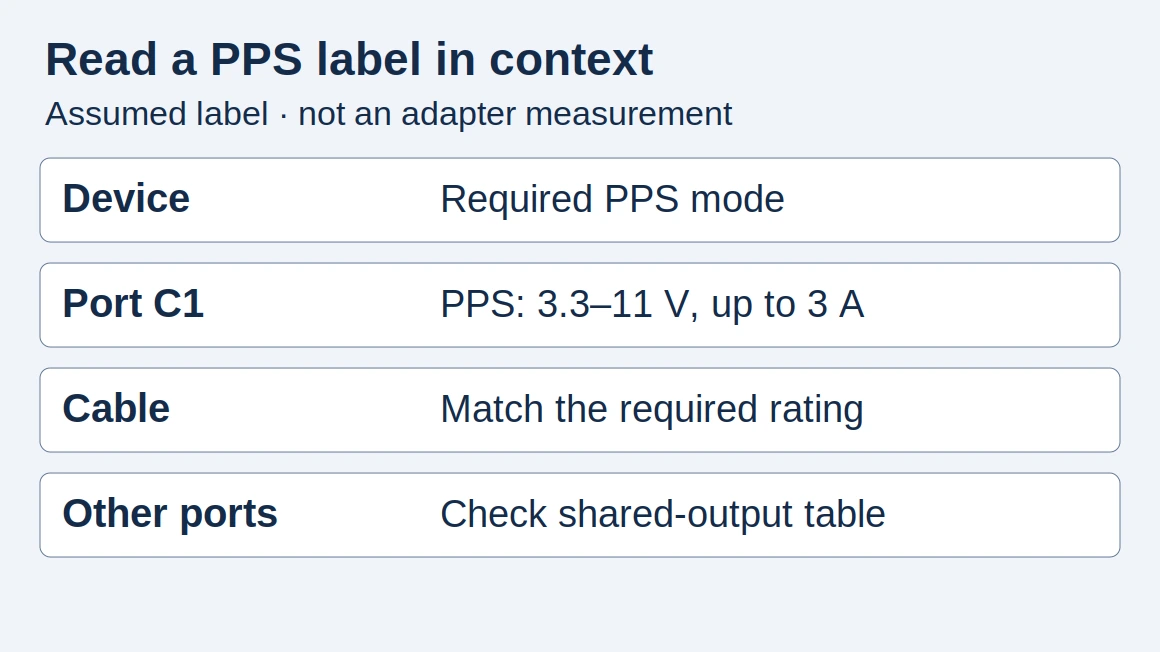
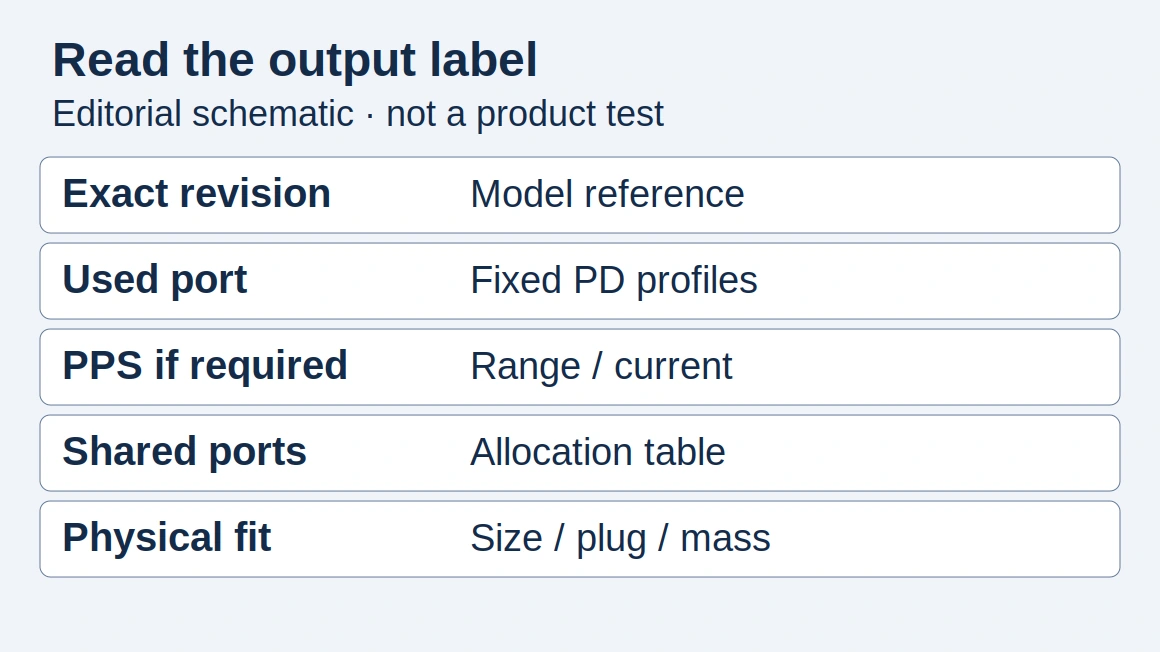
Start with the exact phone and connection you intend to use. Copy specifications from the handset’s documentation and the adapter’s output label or manual. Keep the name of the port beside its profiles; a rating for another port or another connection arrangement does not complete this record.
Scroll horizontally to see all columns if needed.
| Input or item | Typical value or source | Why it matters |
|---|---|---|
| Phone and market | Exact model code and regional support document | A family name can hide different charging requirements |
| Accepted mode | Phone-maker documentation: fixed PD, PPS or another system | Establishes what needs to match |
| Selected USB-C port | Adapter label or manual for that port | Separates port capability from total output |
| PPS voltage/current | Listed ranges and their individual current limits | Identifies the available programmable supply |
| Cable capability | Cable-maker specification and phone-maker recommendation | Checks current capability for the connection |
| Other occupied ports | Exact adapter’s simultaneous-use table | Checks the configuration you actually plan to use |
The Charging & Power reading path places these checks alongside the rest of a charging setup. If PPS terminology is new, the PPS introduction covers the definition before you work through this more specific record.
Takeaway: Collect the phone requirement and the selected port’s complete specification before comparing headline watts.
Read the documented compatibility matrix
These rows compile official documentation, rather than tested phone-and-charger pairings. The adapter ratings in the second column describe recommendations or reference accessories. They are not a table of measured handset input power. Regional Samsung examples are labeled so that readers can check their own market’s model documentation.
Scroll horizontally to see all columns if needed.
| Phone or documented scope | Official charging reference | Cable check and missing phone requirement | Source and boundary |
|---|---|---|---|
| Galaxy S22 / S23 base models | Samsung UK recommends a 25W adapter | Check model-specific cable guidance; exact phone PPS voltage/current not stated in this source | Samsung UK support; May 2023 guidance for these older families; a recommendation alone cannot confirm a candidate pairing |
| Galaxy S22+ / S23+ and S22 / S23 Ultra | Samsung UK recommends a 45W adapter | E-marked 5A USB-C cable for its 45W arrangement; exact phone PPS voltage/current not stated in this source | Same UK document; limited to these models; a recommendation alone cannot confirm a candidate pairing |
| Pixel 8 Pro | Google’s model specification references its 30W USB-C USB-PD 3.0 (PPS) charger | Check candidate port and cable; exact phone PPS voltage/current not stated in the cited model description | Google hardware specs, Pixel 8 Pro section; reference accessory alone cannot confirm a candidate pairing |
| Pixel 9 / 9 Pro / 9 Pro XL | Each model’s charging description references Google’s 45W USB-C charger | Check each model and cable separately; exact phone PPS voltage/current not stated in these cited descriptions | Same page, individual Pixel 9 sections; common accessory reference does not establish equal phone power or confirm a candidate pairing |
| Pixel phones: general accessory guidance | Google lists PPS adapters rated 30W or more, or other PD adapters rated 15W or more | USB-C to USB-C arrangement; exact model-specific PPS voltage/current not stated by this general advice | Google charging help; usable accessory guidance, not every model’s peak-rate requirement or a confirmed pairing |
All rows were checked against the linked documents for this edition. Where the phone document does not disclose its precise programmable voltage/current requirement, that field remains not stated here. Do not fill it by copying the output of a charger marketed for the phone.
For US Galaxy users, Samsung’s US charging guidance says that not every device supports 45W and that the supported charging speed depends on the connected charger and battery status. Use the UK rows as documented examples, then confirm your exact US device. The regional phone guide explains why model identity belongs in the record.
Takeaway: A manufacturer’s recommended adapter rating and a phone’s measured power are separate fields.
What an APDO tells you about a port
For PPS, an APDO, or Augmented Power Data Object, describes a programmable voltage/current capability. TI’s TPS25751 data sheet, section 9.2.1.1, explains that the receiving device requests voltage and current within the source’s capabilities. Read the interval and its associated current limit together; the USB PD explainer introduces that negotiation.
Keep this separate from the fixed-voltage PDO section of the label. In the Samsung catalog below, the PDO section lists fixed voltage options, while the PPS section lists voltage ranges with their current limits.
Samsung’s Australian EP-T4510XBEGAU catalog is a useful concrete example. It lists Super Fast Charging 2.0 and PDO/PPS output up to 45W, with the following PPS ranges. These are manufacturer-listed values for that Australian SKU, not requirements for all Samsung handsets or verified output from our testing.
Scroll horizontally to see all columns if needed.
| Advertised PPS voltage range | Associated maximum current | How to read it |
|---|---|---|
| 3.3–11.0 V | 4.05 A | This current belongs to this voltage range |
| 3.3–16.0 V | 2.8 A | Extending the listed range changes the current limit |
| 3.3–21.0 V | 2.1 A | Do not carry the first row’s current into this row |
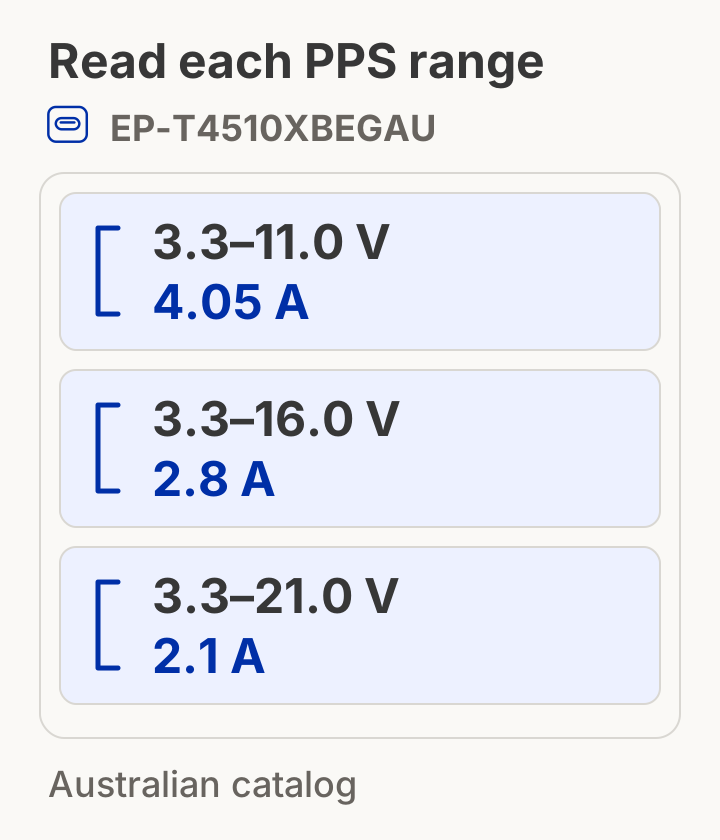
Catalog-based illustration, assumed operating point: if a connected device requested the upper endpoint of the first advertised range, the output arithmetic would be 11.0 V × 4.05 A = 44.55 W. The catalog also lists a fixed 9 V PDO at 3 A, whose arithmetic is 9 V × 3 A = 27 W. Both calculations use the linked Samsung catalog’s inputs. Neither establishes that your phone requests that point or receives that power at its battery.
This is why a large fixed-profile rating cannot stand in for a PPS row. Two adapters can have adequate total power while offering different voltage/current combinations in programmable operation. Use the specification comparison guide to retain the profile, model revision and source beside each candidate.
Common mistake: Combining the widest advertised PPS voltage range with the highest current from a different range. That creates a capability the label has not stated.
Takeaway: Match voltage and current within the same advertised range, and keep catalog arithmetic separate from observed charging.
How PPS requests change during charging
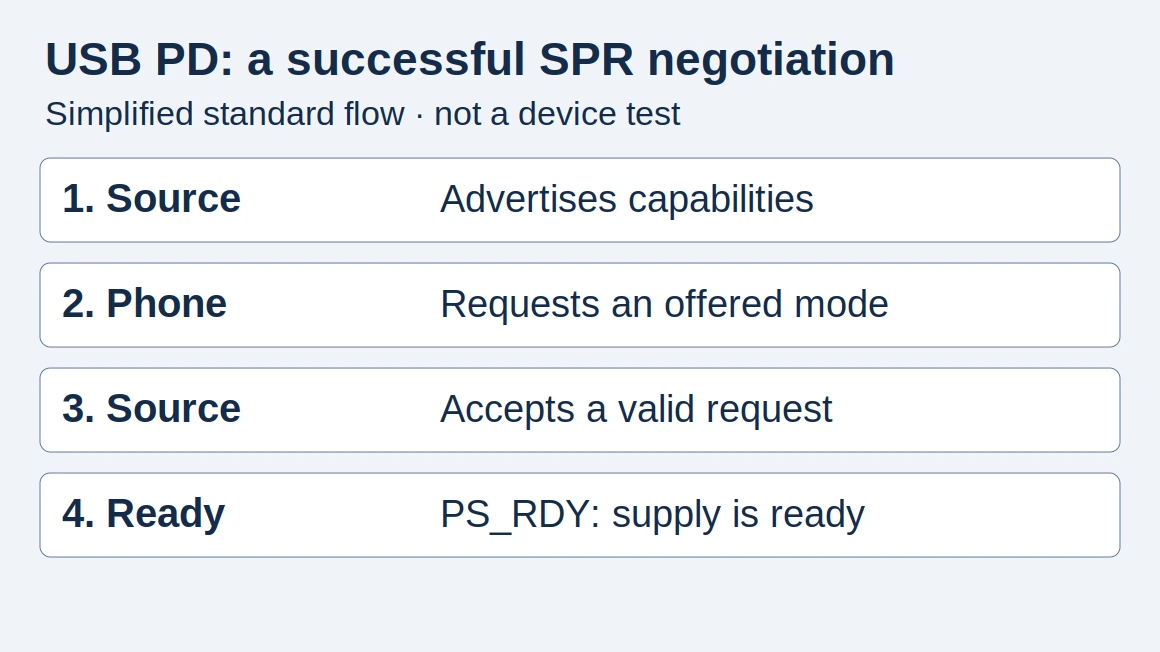
PPS lets a compatible device ask the source to adjust its output within the supported capability. Renesas’s technical explanation describes voltage requests in 20 mV steps and current requests in 50 mA steps. These are request increments; they are not a promise about a charger’s measurement accuracy or its temperature.
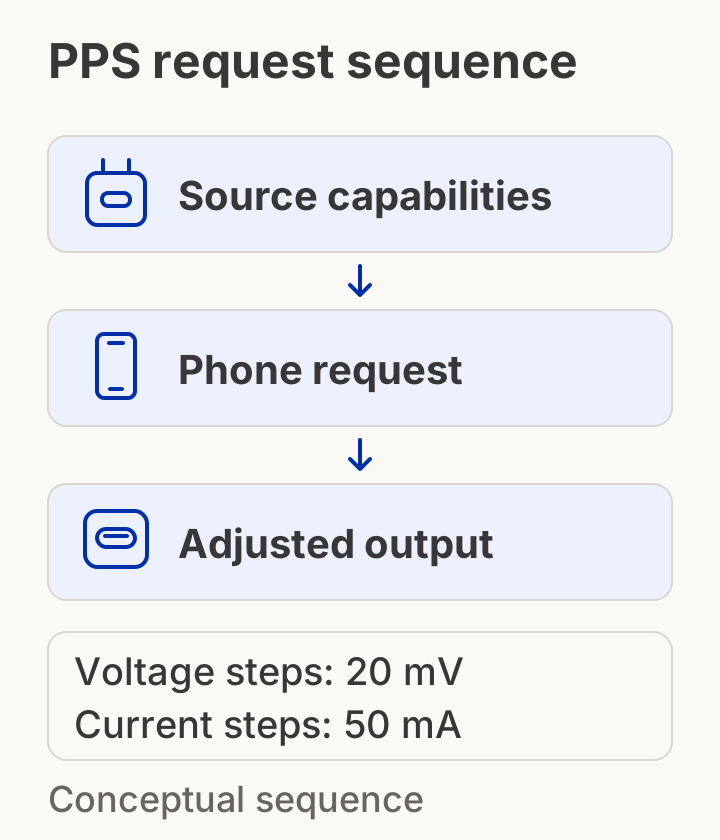
The source advertises what it can supply; the device selects a supported operating point. Subsequent programmable requests can change that point. A phone’s charging system still manages its battery. The diagram is a reading aid, not a recording of a Samsung or Pixel handshake.
Renesas describes reducing conversion loss as the purpose of this adjustment. That explains the mechanism without establishing a universal heat reduction, a cooler enclosure or a longer battery life for a named setup. A meaningful temperature comparison would need a documented method and measurements of the actual devices.
USB-IF’s fast-charger initiative also makes clear that compatible hosts, devices and chargers are needed to take full advantage of PPS. A generic PD claim is therefore an incomplete substitute for the programmable capability. Likewise, GaN technology does not establish the charging mode a port supports.
Takeaway: PPS request granularity explains control of the supply; it does not prove a particular charging or thermal result.
Why a higher-rated charger can still charge slowly
Check the missing match before buying more total wattage. A slow result can arise from the selected mode, port, cable, occupied-port arrangement or the phone’s charging management. Neither Samsung nor Google’s cited general guidance establishes a universal fallback rate for all of their phones when PPS is absent.
Scroll horizontally to see all columns if needed.
| What you find | What it tells you | Next check |
|---|---|---|
| PD is listed, but PPS is not | Programmable capability is not established by that label | Obtain the exact port’s full specification |
| PPS is listed, but only as a logo or name | Voltage/current compatibility is still unresolved | Look for the actual ranges and current limits |
| Documentation belongs to another model or port | The evidence does not describe your connection | Match model code, revision and used port |
| Cable current rating is unknown or insufficient | The current capability of the connection remains unresolved | Check cable documentation; a requirement above 3 A needs a suitable e-marked 5 A cable |
| The result changes with another device connected | Your observation involves a different port arrangement | Compare with the maker’s allocation table |
| The phone is warm or near a charging limit | Charging management may affect the observation | Check the phone’s settings and support guidance |
| Pixel shows “Check charging accessory” | Google identifies an unsupported or faulty accessory as a possibility | Try a known-compatible cable/adapter arrangement |
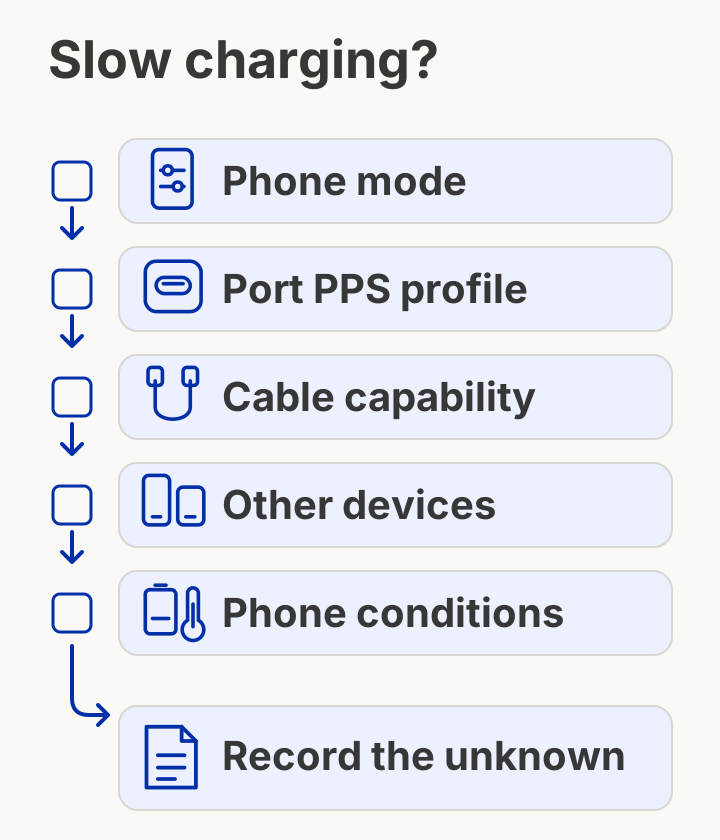
A higher-rated charger can give a lower-than-expected result. Without the adapter label and a measurement record, assigning a specific lower wattage would be guessing. Start with one phone on the documented port; record the cable and charging settings, then change one component at a time. A difference after a substitution is a useful observation to investigate, rather than proof of a protocol cause.
For portable sources, apply the same output-profile check and then use the power-bank guide for the separate capacity and recharge questions. For a mixed phone/laptop setup, the existing GaN and Power Delivery buying guide introduces simultaneous-use allocation.
Takeaway: Record which input is unknown or changed before interpreting a slow result.
Check cable current separately from watts
The current needed by a charging arrangement is the relevant cable check. Renesas explains that drawing more than 3 A requires a suitable 5 A cable with an electronic marker, or e-marker, that identifies its capability. This condition concerns current, so a modest wattage does not automatically make the cable irrelevant.
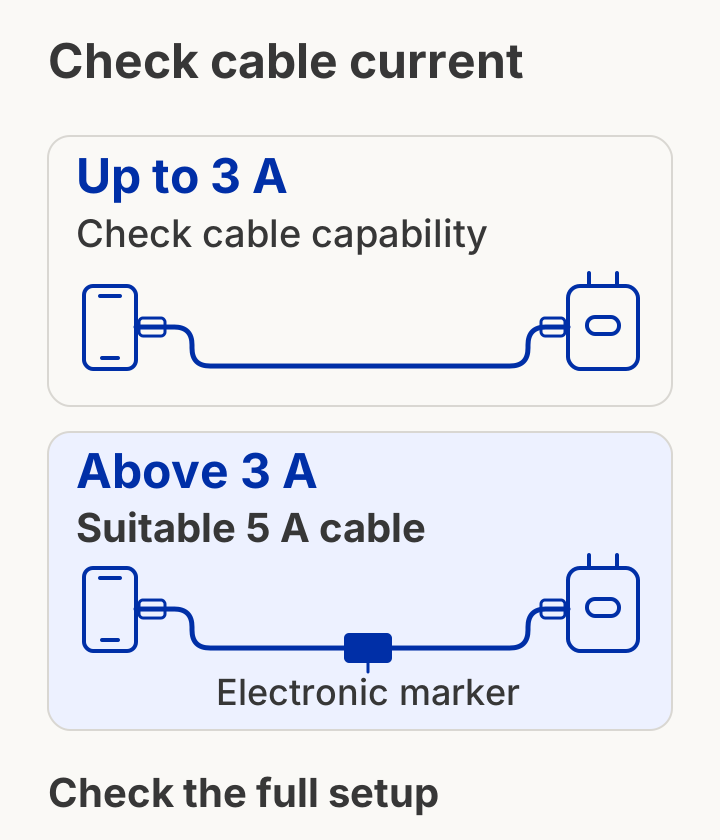
The Australian Samsung catalog’s 4.05 A PPS row illustrates the issue: that advertised current exceeds 3 A, even though the adapter’s maximum rating is 45W. Samsung lists a USB-C to USB-C 5A cable in that SKU’s package, and its cited UK support document recommends an e-marked 5A cable for the documented 45W arrangement.
This does not mean every PPS connection needs a 5A cable. If the required current stays within a suitable cable’s documented capability, the mere presence of PPS is not the reason to replace it. Conversely, an e-marker by itself is not a PPS feature in the phone or adapter. Check what the cable is actually rated to carry.
Common mistake: Treating a cable’s high power rating as evidence that the charger supports PPS. A cable cannot add a programmable output mode to the source.
For higher-voltage laptop charging, the EPR voltage and cable guide handles the additional requirements. Keep those questions separate from a phone’s lower-voltage, higher-current PPS arrangement.
Takeaway: Check the required current and the documented cable capability; do not infer either from the adapter’s total watts.
Record a pairing before accepting a substitution
A pairing record should show what is documented, what you observed and what remains unresolved. Copy the fields below into your own notes. This is a proposed record, with blank results, for comparing a charger or cable substitution; it is not a log of testing performed by Phone Gadgets.
Scroll horizontally to see all columns if needed.
| Record field | Your entry | Evidence or observation |
|---|---|---|
| Phone | Model code, market and software: ___ | Relevant phone-maker document: ___ |
| Adapter | Model/revision and selected port: ___ | Matching label/manual: ___ |
| Output modes | Fixed PDOs and each PPS range/current: ___ | Source URL or label image: ___ |
| Cable | Model and documented current capability: ___ | Packaging/manual: ___ |
| Port arrangement | Other devices connected: ___ | Maker’s allocation table: ___ |
| Phone conditions | Starting battery state, settings, screen use and surroundings: ___ | Conditions noted for this observation: ___ |
| Result | Charging indication and elapsed observation: ___ | Measurement method, if used: ___ |
| Unresolved point | Missing profile or unexplained change: ___ | Next document or substitution to check: ___ |
A phone label such as “Super fast charging” is an observation field. A protocol analyzer trace, if you obtain one, is a different evidence type. Input power measured between the adapter and phone is also different from net battery charging power. Keep the instrument, location and conditions beside any number you later record.
For multiple units, use this record with the first-order risk checklist to identify substitutions before accepting a batch. The quality-control guide adds general sample and document checks. Those are reader resources for dealing with your supplier; the publication does not supply chargers or conduct your acceptance tests.
Takeaway: Keep specification evidence, screen indications and electrical measurements in separate fields.
When this does not apply
The matrix addresses documented wired charging arrangements, with selected Samsung and Pixel examples. It does not resolve wireless charging compatibility, proprietary charging systems, every historical handset or every regional adapter. When your model is absent, the useful next step is its own official document rather than a nearby model’s row.
- Wireless charging: receiver, transmitter and alignment introduce different checks; this PPS record alone cannot establish wireless compatibility.
- Proprietary fast charging: consult that system’s device, adapter and cable requirements rather than translating a logo into a PPS promise.
- Unpublished phone requests: a reference adapter does not reveal every request the phone makes. Record the missing requirement explicitly.
- Unexplained failure or damage: use the device maker’s support process rather than treating this document comparison as an electrical safety inspection.
Takeaway: Use the matrix only for its stated wired scope, and use model-specific guidance to resolve gaps.
Frequently asked questions
Which chargers are compatible with the PPS charging protocol?
Look for explicit PPS capabilities on the port you will use, then compare their voltage/current ranges with your device’s documented arrangement. A PD logo or a total wattage rating alone leaves that check incomplete. The table above provides an official catalog example, not a list of tested products.
Which phones support pps charging?
Use the exact model’s official charging document rather than a brand-wide list. Google explicitly references USB-PD 3.0 (PPS) in its Pixel 8 Pro specification. For other models, distinguish a recommended reference charger from a disclosed programmable requirement; a shared charger recommendation does not prove identical requests.
Which is better, pps or pd?
PPS is a feature within USB Power Delivery, so these are not two interchangeable rival labels. Prefer a documented PPS arrangement when that is what the phone needs. A device that uses fixed PD does not gain a demonstrated speed improvement simply because another adapter offers PPS.
Which power banks have PPS charging?
Check each candidate bank’s output specification for an explicit PPS range on the selected port. A bank’s storage capacity or USB-C connector does not answer that question. Its input recharge specification is a separate field; do not mistake support on input for support on output.
What is superfast charging 2.0 in Samsung?
Samsung uses Super Fast Charging 2.0 for compatible charging arrangements. The Australian EP-T4510XBEGAU catalog lists this feature with PDO/PPS output up to 45W and an included 5A cable. That describes the named adapter; confirm the handset separately instead of treating the feature name as an all-Galaxy compatibility promise.
Should I buy a 25W or 45W charger?
Begin with your model’s charging document. Samsung’s cited UK S22/S23 guidance distinguishes base models from Plus and Ultra models in its adapter recommendations. For another handset, check that handset’s requirements, the available modes and your port arrangement before assuming that a higher rating is useful.
Is 45W charging bad for the battery?
The adapter’s rating alone does not establish battery wear or the power accepted throughout charging. Samsung US describes battery-state-dependent charging; Samsung UK and Google describe temperature-dependent charging management. This guide supplies no battery-aging test, so it cannot assign a lifespan effect to a particular 45W pairing.
Takeaway: Use these questions to identify the missing document or condition, rather than to turn an accessory rating into a performance guarantee.
Related reading
- What PPS charging means — establish the definition and the generic compatibility checklist.
- USB-C Power Delivery explained — understand advertised capabilities and the requested operating point.
- Specification comparison guide — keep source documents beside comparable fields.
Takeaway: Use the related guides for adjacent decisions, then return to your exact pairing record.
Method and source boundaries
This page compiles public documentation and adds an editorial comparison record. Samsung UK’s older S22/S23 guidance, Samsung US’s general charging guidance and the Australian adapter catalog serve different purposes. The catalog is a manufacturer statement; the calculations demonstrate its listed inputs. Google’s model specifications and general accessory advice are kept separate for the same reason.
No handshake captures, temperature curves, charge-time runs or battery-aging experiments were available for this page. Missing model requirements remain visible instead of being supplied by inference. See the research methodology for how the publication handles desk research and its limitations. The source list below identifies the documents and access dates.
Takeaway: Recheck the original document for your model and region before treating a recorded pairing as supported.
How this guide was prepared
Compiled from USB-IF, Renesas, Samsung and Google public documents with AI assistance. Regional examples are labeled. Catalog calculations illustrate output profiles, not measured phone or battery power. No protocol traces, charging-time tests or temperature measurements were performed for this guide.
Sources and further reading
- Certified USB Fast Charger initiative — USB-IF. Accessed .
- USB Power Delivery: convenience and safety — Renesas Electronics. Accessed .
- How to use Super fast charging — UK S22/S23 guidance — Samsung UK. Accessed .
- How to fast charge your Galaxy phone or tablet — US — Samsung US. Accessed .
- How to Fast Charge your phone wired or wirelessly — UK — Samsung UK. Accessed .
- 45W Power Adapter EP-T4510XBEGAU — Australian specifications — Samsung Australia. Accessed .
- Charge your Pixel phone — Google Pixel Help. Accessed .
- Pixel phone hardware tech specs — Pixel 8 and Pixel 9 sections — Google Pixel Help. Accessed .
- TPS25751 data sheet — section 9.2.1.1, PPS design requirements — Texas Instruments. Accessed .
Found an error? See our corrections policy and research methodology.