USB PD 3.1 EPR: What 140W and 240W Require
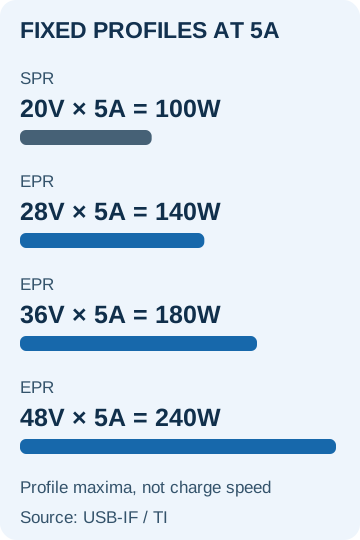
A high wattage label can leave you with an incompatible setup. Match the charger port, EPR cable and device input before choosing 140W, 180W or 240W.
EPR quick comparison
Scroll horizontally to see all columns if needed.
| EPR profile maximum | Required voltage × current |
|---|---|
| 140W | 28V × 5A |
| 180W | 36V × 5A |
| 240W | 48V × 5A |
These are calculated profile maxima, not measured battery input or charging time. Check the selected port, cable and device input, then fill in the compatibility record.
Read 140W and 240W as voltage-and-current combinations
USB PD 3.1 introduced EPR beyond the previous SPR ceiling of 100W (20V × 5A). Power equals voltage multiplied by current; a product’s documented profiles determine which EPR levels it offers. Sources: USB-IF’s voltage summary and Texas Instruments’ published SPR/EPR table.
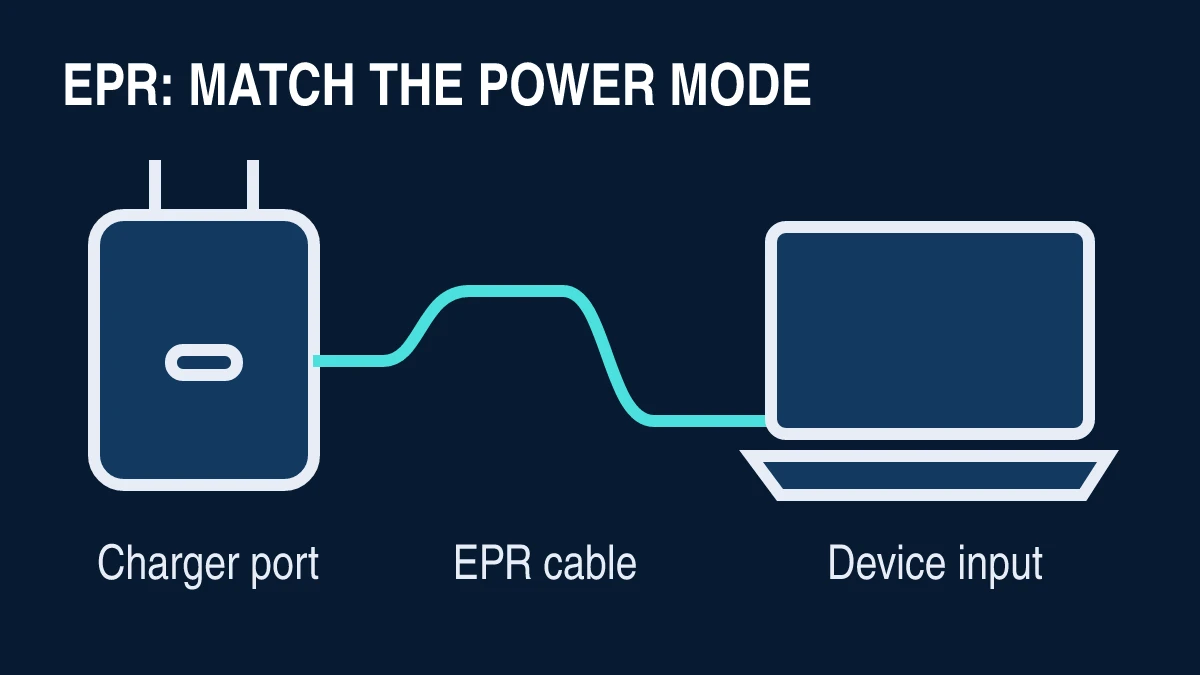
The cover is an editorial schematic, not a product photograph. For broader selection checks, start with Charging & Power. PD 3.1 identifies the revision that introduced EPR; check USB-IF’s document library for current revisions.
Match the selected port, cable and device input
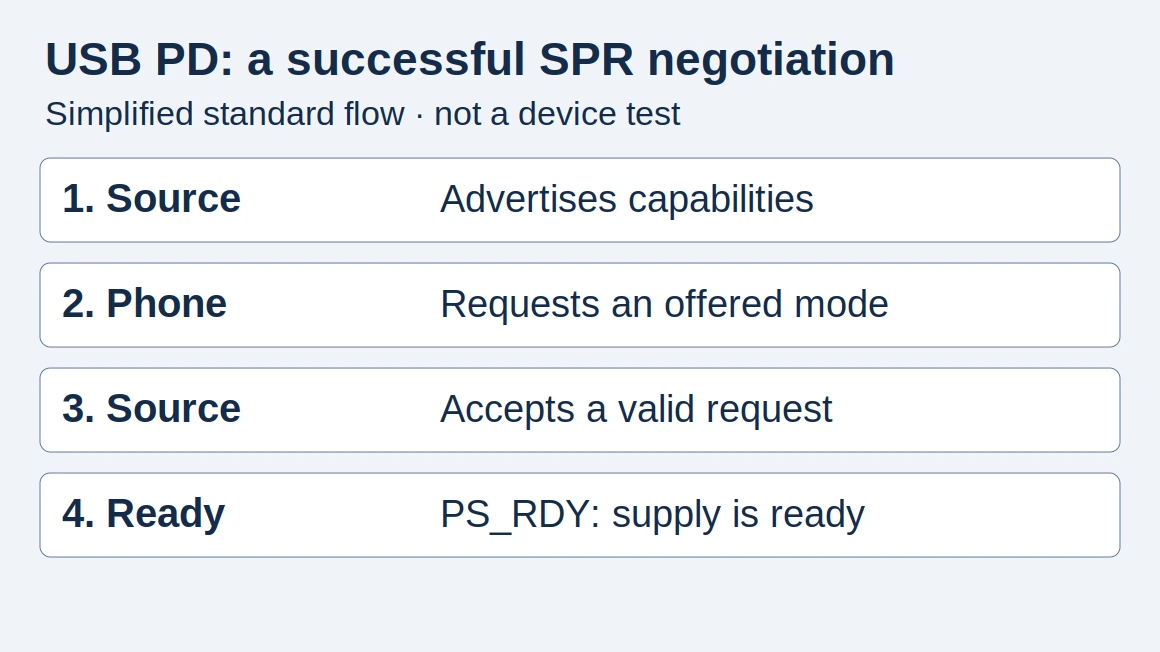
For an EPR connection, the source supplies power and the sink receives it. TI describes entry into EPR mode followed by negotiation of the requested power profile. Its table explicitly requires an EPR cable for the higher range. A connector that fits is only the beginning of the compatibility check. TI’s explanation distinguishes these requirements from the wattage arithmetic.
Use this checklist before ordering:
Scroll horizontally to see all columns if needed.
| Component | Evidence to obtain | A missing detail means… |
|---|---|---|
| Charger | Exact model, selected port’s voltage/current profiles and simultaneous-use allocation table | A headline total cannot establish that port’s EPR output |
| Cable | Exact model and documented EPR/240W capability | “USB-C” or an old 5A marking alone is insufficient evidence |
| Laptop or other device | Manufacturer’s accepted USB-C input modes and which physical port accepts charging | Its original adapter rating does not establish USB-C input support |
As a hypothetical example, suppose a laptop documents a 28V, 5A EPR input and the chosen charger port provides it. Pairing them with an appropriate EPR cable meets the stated component requirements for that 140W profile. Substituting a charger whose documented maximum is 20V, 5A removes the required 28V option. Buying a higher-rated cable cannot add that missing output.
Record multiport operation separately. Ask the manufacturer whether the required profile remains available with your other devices connected. Do not substitute an aggregate charger rating for that answer.
Backward compatibility does not add EPR to older hardware
An EPR-capable cable can work with older USB equipment; TI discusses this compatibility in its engineering guide, page 49. It does not upgrade an older source or sink to a higher voltage. The same guide describes establishing an SPR contract before the additional EPR capability checks and transition.
For a mixed setup, compare the modes both devices support within the cable’s capability. Do not assume that “backward compatible” promises the laptop’s preferred charge rate or enough input for every workload. If the device documentation does not identify a supported USB-C charging path, keep the manufacturer’s specified power arrangement rather than inferring compatibility from the plug shape.
Choose cable power and data capability separately
For a new EPR purchase, look for documented 240W capability and the relevant USB-IF cable marking. USB-IF’s certification rules use 60W or 240W power labels and distinguish data-rate marking from power capability. A 240W cable therefore needs a separate data specification if you also expect a particular transfer rate. The cable compliance rules explain that distinction.
USB-IF stopped certifying new 100W cable submissions under the old category; this policy does not turn an existing 100W cable into an EPR cable. Keep its documented limits. For a cable advertised as certified, cross-check the exact product in USB-IF’s product search. The public listing defaults to recent certifications, so an absent result calls for clarification with the manufacturer rather than an automatic counterfeit verdict.
Do not substitute AVS for a phone’s PPS requirement
EPR also includes Adjustable Voltage Supply (AVS), allowing a sink to request an intermediate voltage within the source’s supported range. AVS and Programmable Power Supply (PPS) are different features; a claim about one does not establish the other. TI’s technical explanation treats them separately.
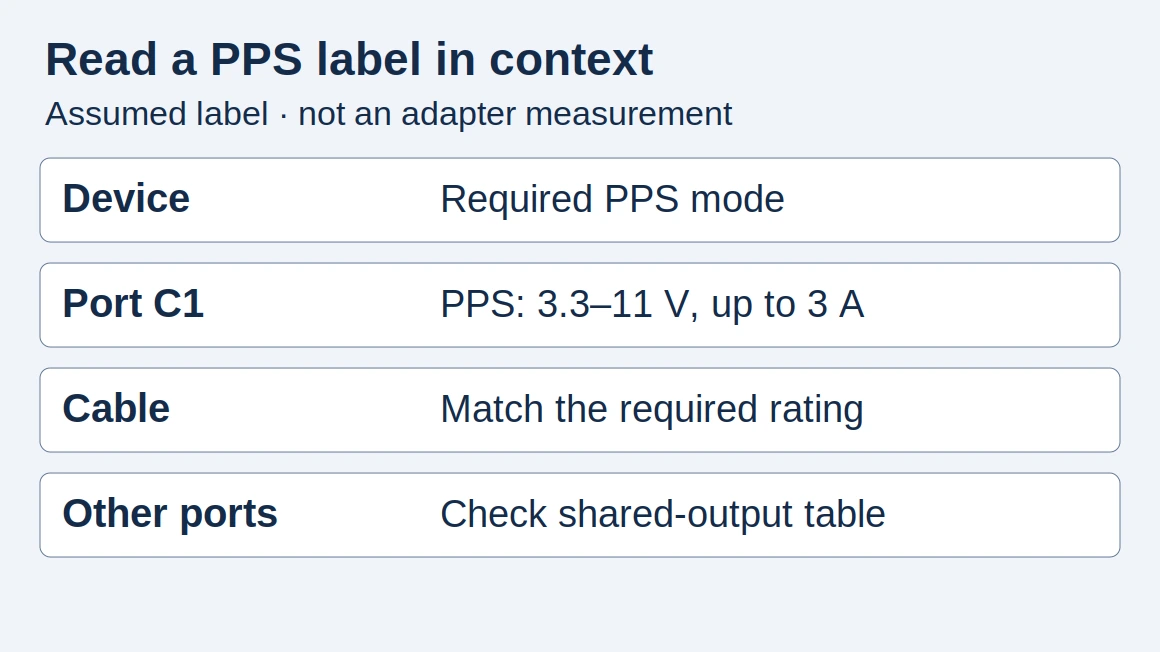
If the phone manufacturer calls for PPS, check the required PPS output range on the intended charger port. Our PPS charging guide covers that decision. There is little value in buying a larger EPR rating solely to satisfy a different, undocumented phone charging requirement.
Keep capability checks separate from charging results
Copy this record for each setup. Leave undocumented fields as unknown and resolve them before treating the setup as compatible:
Device model / charging input port:
Accepted USB-C input profile (V, A):
Charger model / selected output port:
That port's profile (V, A):
Other connected devices / allocation:
Cable model / documented EPR rating:
Device, charger and cable source URLs:
Specification check date:
This is a specification check, not a charging result. For measurements, also record software version, starting battery percentage, screen activity, elapsed time and conditions; distinguish connection power from battery metrics. This guide provides no measured charge-time result.
Frequently asked questions
Can I use a 240W cable with a 20W adapter?
Yes, for a compatible USB-C setup using a compliant EPR cable. TI’s public engineering guide describes backward compatibility with older USB devices. The cable’s rating does not raise the adapter’s output: charging still depends on the modes the adapter and device support.
Can I use a 240W cable to charge my iPhone?
For an iPhone with USB-C, Apple documents charging with a cable and adapter that comply with the USB-C standard. A compliant 240W cable can serve that connection; its rating does not mean the phone receives 240W. Check the connector and charging requirements for your exact model.
How this guide was prepared
Source-based explanation prepared with AI assistance and checked against USB-IF documentation and Texas Instruments engineering publications on October 7, 2026. Diagrams and the example setup are editorial illustrations, not measurements or product reviews.
Sources and further reading
- Charge and connect with the USB-C connector on your iPhone — Apple Support. Accessed .
- USB Power Delivery overview — USB-IF. Accessed .
- SPR and EPR fixed voltage ranges and negotiation — Texas Instruments. Accessed .
- An Engineer’s Guide to USB Type-C, EPR chapter — Texas Instruments. Accessed .
- Cable and connector compliance updates — USB-IF. Accessed .
- Certified product search and listing scope — USB-IF. Accessed .
- Power Delivery document library — USB-IF. Accessed .
Found an error? See our corrections policy and research methodology.